
SalesMind AI makes personalization simple by adapting messages, resources, and tone to each prospect. Instead of sending the same outreach to everyone, your AI agent uses company data, campaign objectives, and prospect insights to craft tailored communication.
Prerequisites
- An active SalesMind AI agent with at least one campaign set up
- Company resources added (website, case studies, booking links)
1. Company Knowledge and Resources
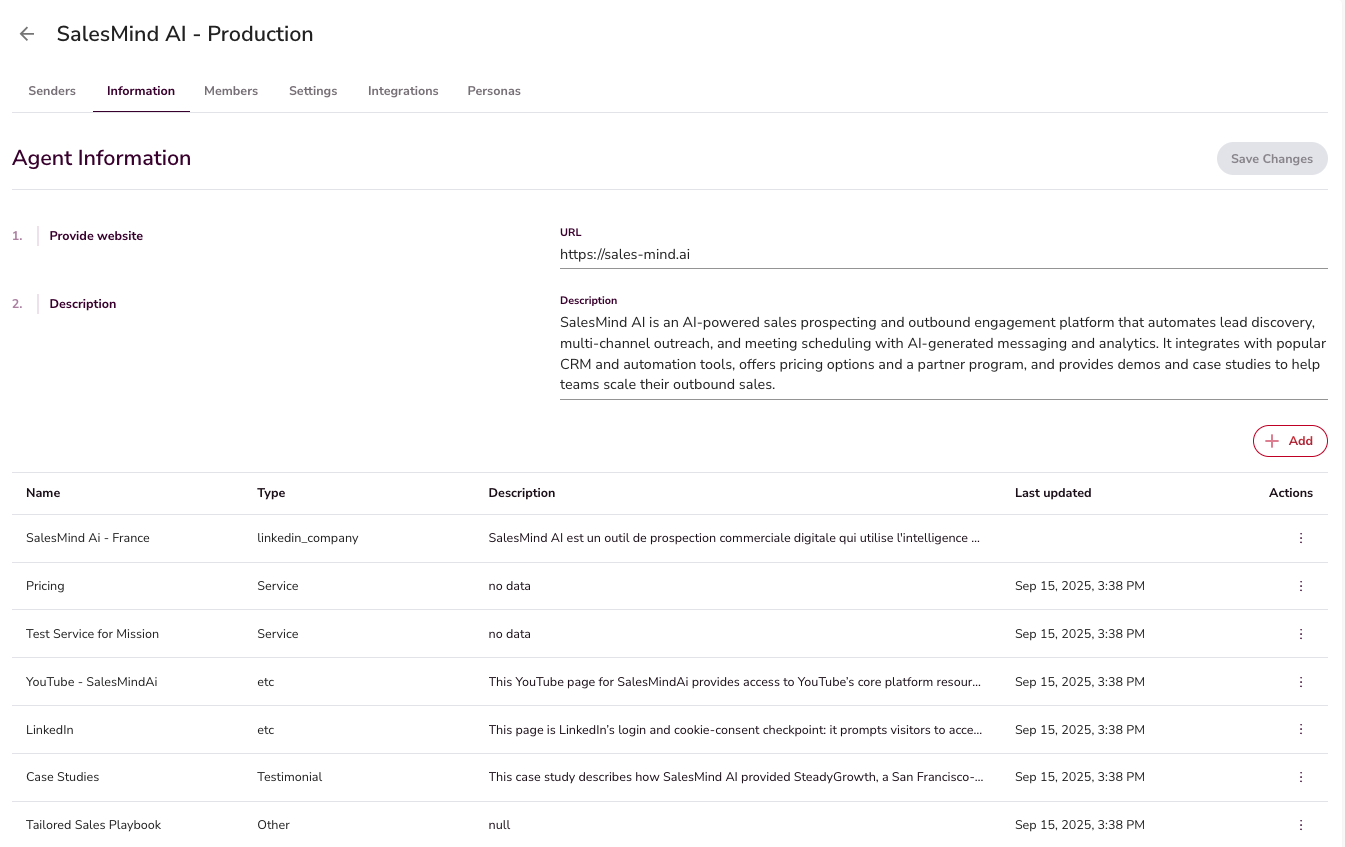
Your AI agent acts as a digital version of your company.
- It pulls information from your website and auto-generates a company description.
- You can add resources like testimonials, case studies, payment links, and booking links.
- The AI introduces these only when relevant to the conversation.
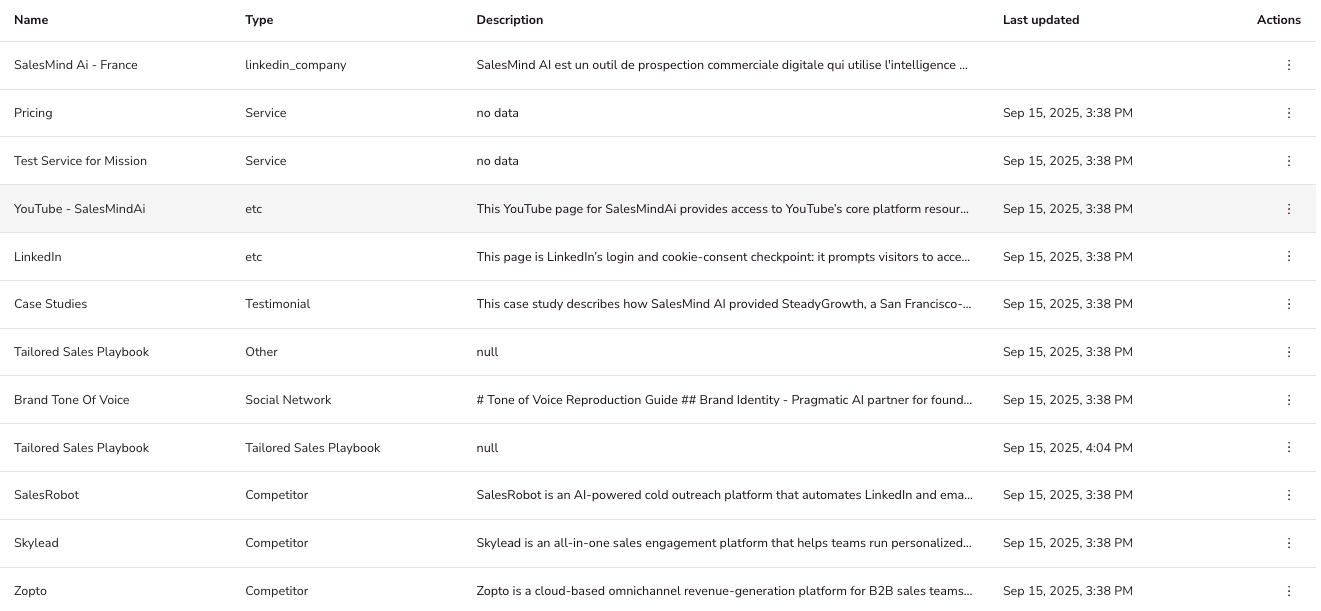
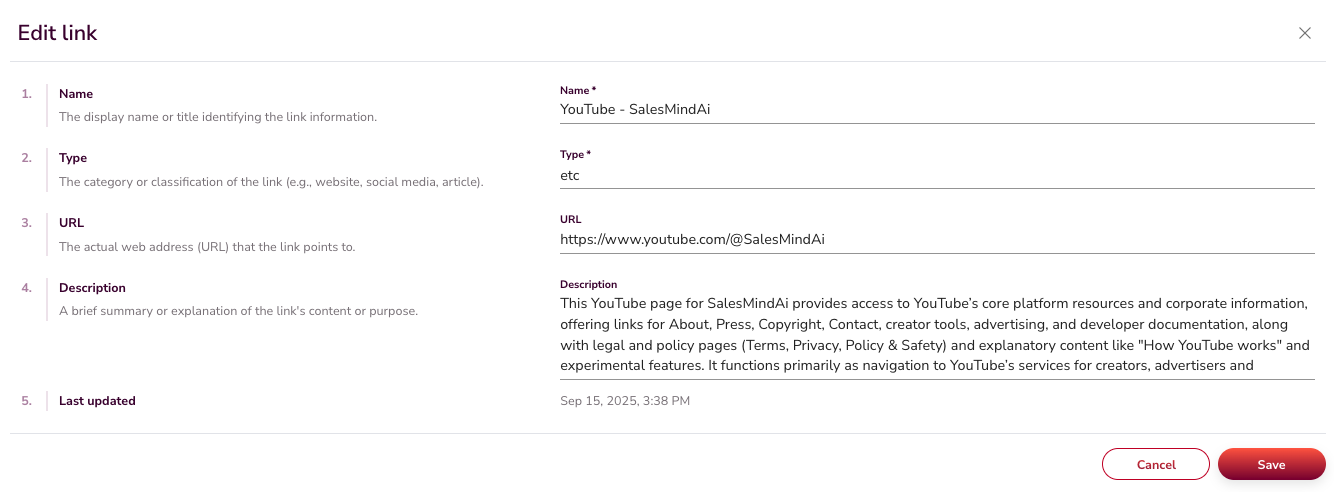
👉 Note: Every prospect gets the right link in the right context, automatically.
2. Campaign Objectives and Sequence Instructions
When you create a campaign, you define its objective (for example, booking meetings).
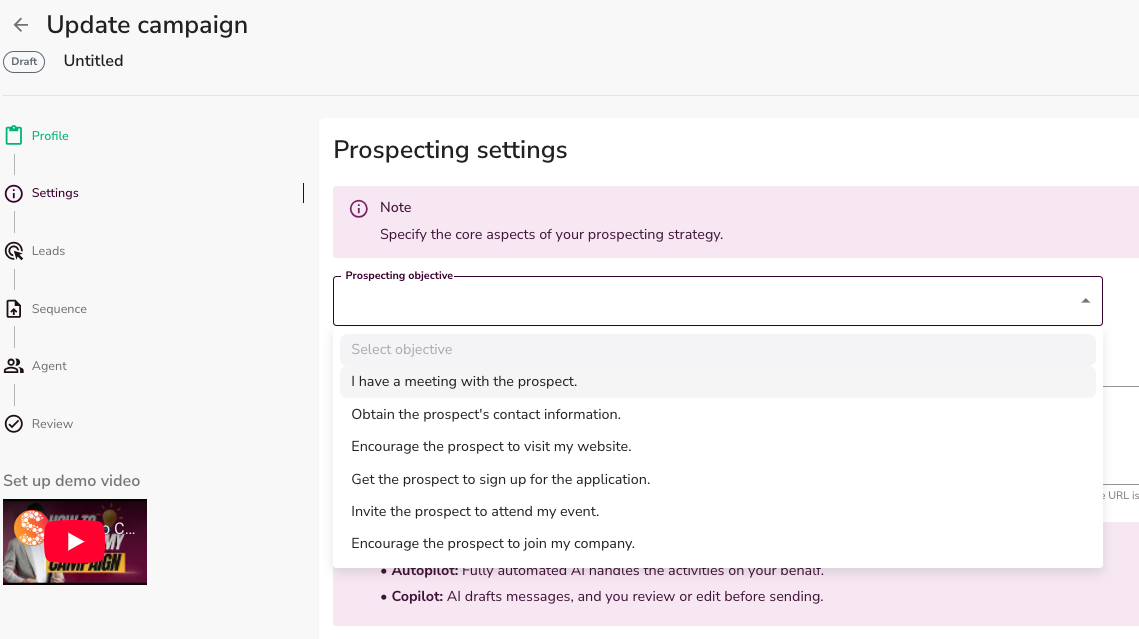
- The AI uses this objective to shape the sequence of instructions across the entire campaign.
- If the goal is meetings, the AI gradually guides the prospect toward your calendar link, step by step.
- This creates a natural flow instead of forcing the outcome too early.
💡 Tip: Be specific with your campaign objective. "Book a 30-minute discovery call" works better than "get meetings."
3. How to Control How the AI Writes Messages
SalesMind AI does not use manual placeholders like {{company_name}} or {{first_name}}. Instead, the AI reads the prospect's LinkedIn profile at send time and weaves in their name, company, role, and other details naturally — the way a real person would.
But you have several ways to direct how the AI writes:
Option 1: Choose a focused campaign objective
When creating a campaign, you select your objective from a preset list (for example: Book meetings, Drive traffic to your website, Get sign-ups). This tells the AI what outcome to work toward, and it shapes the tone and direction of every message in the sequence.
👉 Where to find it: Campaign creation → Step 3: Define Your Objective.
The objective is a selector, not a free-text field. To give the AI more specific writing instructions on top of the objective, use Message Instructions (see Option 2 below).
Option 2: Add message instructions in campaign settings
In your campaign settings, there is a dedicated Message Instructions field. Use it to give the AI rules that apply to every message in the campaign. Examples:
- "Always open by referencing the prospect's company name."
- "Never mention pricing. Focus only on the problem."
- "Use a casual, conversational tone. No corporate language."
- "Each message must end with a single soft question."
This is the closest equivalent to custom placeholders — you tell the AI what to include, and it follows those rules when writing.
Option 3: Use a Human Message step
In the sequence builder, each step can be set to either AI message or Human message.
- AI message: The AI writes a unique message for each prospect at send time, based on their LinkedIn profile and your step instructions. Click Generate to preview an example of what it will write.
- Human message: You type the exact message text in the instruction field. That exact message is sent word-for-word to every lead in the campaign — no AI rewriting, no personalization. Use this when you want full, precise control over what is sent.
Option 4: Preview what the AI will write
Clicking Generate in the sequence builder does not produce an editable message. Instead, it shows you a preview example of how a message will look based on the sequence step instructions you have set. The actual messages are written fresh for each prospect at send time, using their real LinkedIn data.
To change what the AI writes, adjust the step instructions for that sequence step and click Generate again to see an updated preview.
Option 5: Train the AI with feedback
Use the thumbs-up / thumbs-down feedback on any message in your inbox. Thumbs-down tells the AI the approach was wrong. Over time, the AI adjusts to what your team considers a good message.
4. Personalization in the Inbox with Mind AI
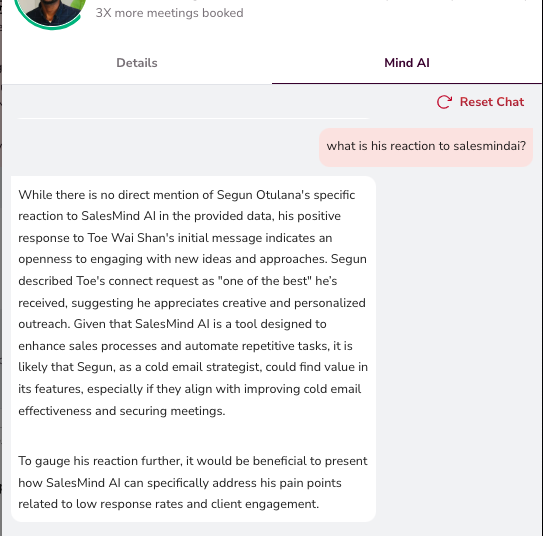
Inside the inbox, Mind AI acts as the memory between you and each prospect.
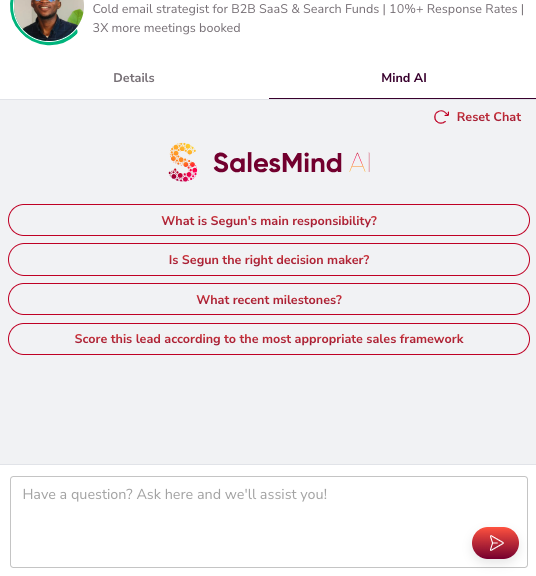
- It recalls past interactions and understands context.
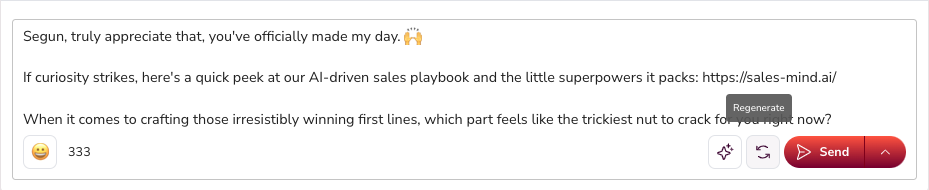
- It generates draft replies directly in your inbox that you can approve and send with one click.
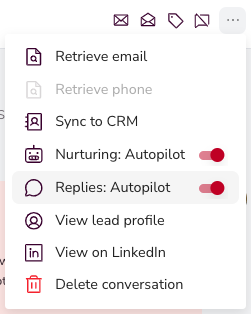
- It can also auto-reply and nurture prospects, keeping conversations alive until you step in.
👉 Note: This makes inbox management faster, more consistent, and highly personalized.
5. Prospect Insights and Adaptation
The AI tailors its messaging based on:
- Buyer role: Messaging differs for decision makers vs end users.
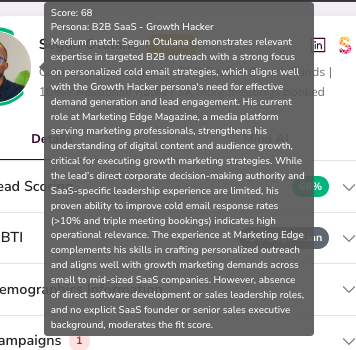
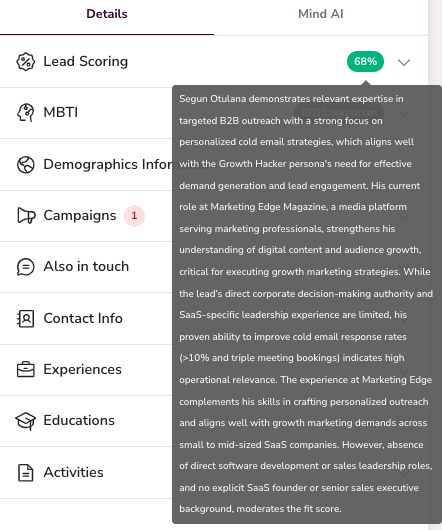
- Lead scoring: High-quality prospects receive more value-driven messaging.
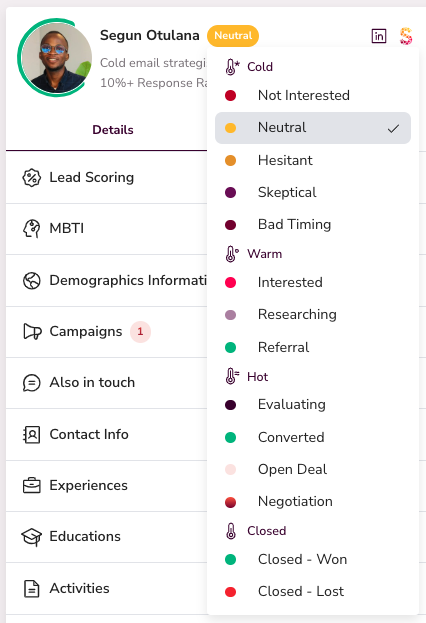
- Conversation stage: The AI knows when a prospect is still warming up vs ready to convert.
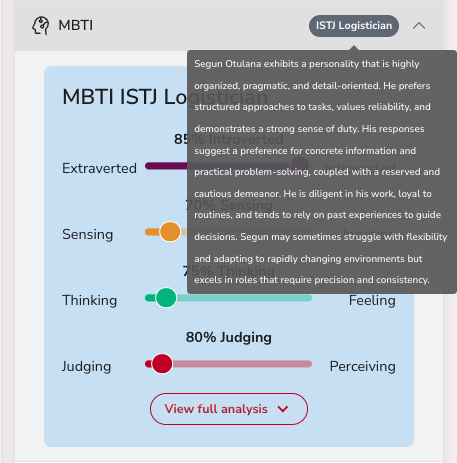
- Communication style (MBTI): Some people prefer short, direct messages while others respond better to longer, educational exchanges.
👉 Note: Every prospect feels the message was written just for them.
Key Takeaways
- SalesMind AI does not use static placeholders — it reads each prospect's LinkedIn profile and personalizes naturally at send time.
- You can control how the AI writes by using a specific campaign objective, message instructions, or by writing messages manually.
- SalesMind AI remembers your resources and introduces the right ones at the right time.
- Campaign objectives guide not only the tone, but also the entire sequence of outreach.
- Mind AI in the inbox powers draft replies, auto-replies, and nurturing.
- Prospect insights like role, scoring, and communication style ensure every message feels tailored.
What's Next
- Learn how SalesMind AI finds the right leads in the first place: see How AI Assists in Lead Sourcing
- Set up your AI's writing style: see How to Make Your AI Sound Like You: Apply Tone of Voice