
A message-only campaign lets you reach people you are already connected with on LinkedIn. It sends messages with no connection request, so your 1st-degree connections receive your outreach directly.
When to use it
Use a message-only campaign when you want to:
- Re-engage leads who accepted your connection request weeks or months ago.
- Follow up with people from your existing LinkedIn network.
- Send a targeted message to a list of contacts you are already connected with.
- Run an outreach sequence without spending LinkedIn connection quota.
Note: A message-only campaign cannot reach people you are not yet connected with. If a lead is not in your 1st-degree network, SalesMind AI marks them as "not connected" and no message is sent.
How it works
When you build a sequence with no Connection Request step, SalesMind AI automatically treats it as a message-only campaign. The system detects the absence of a connection step at the moment you activate the campaign and sets the campaign type accordingly — you do not need to toggle anything manually.
If you run a connection-plus-message campaign instead, any lead who is already in your 1st-degree network is stopped at the connection step and marked "already connected." The campaign does not skip the invite and message them — it stops the sequence for that lead entirely. This is by design: use a message-only campaign to reach those contacts.
How to build a message-only campaign
- Go to Campaigns in SalesMind AI and click Create new campaign.

- In the template picker, select Reactivation. This template has no Connection Request step — it sends messages only to your 1st-degree connections.
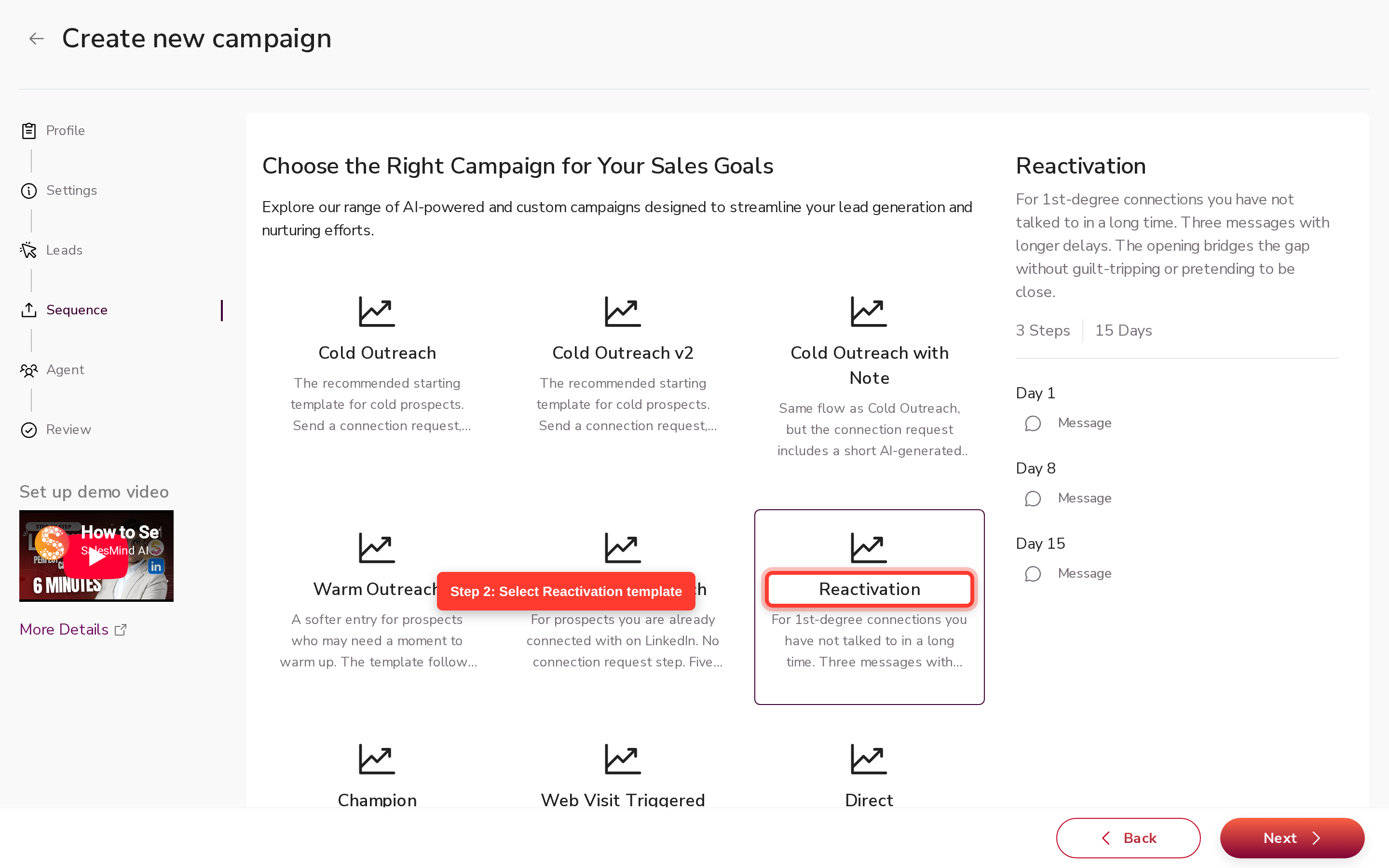
- Click Next to open the sequence builder. You will see three message touchpoints and no connection request step. Add or edit your message steps as needed.

- Choose how to import your lead list. Make sure the list contains only people you are already connected with on LinkedIn — any lead who is not connected will be stopped and receive no message.

- Assign an agent and click Save to activate your campaign.
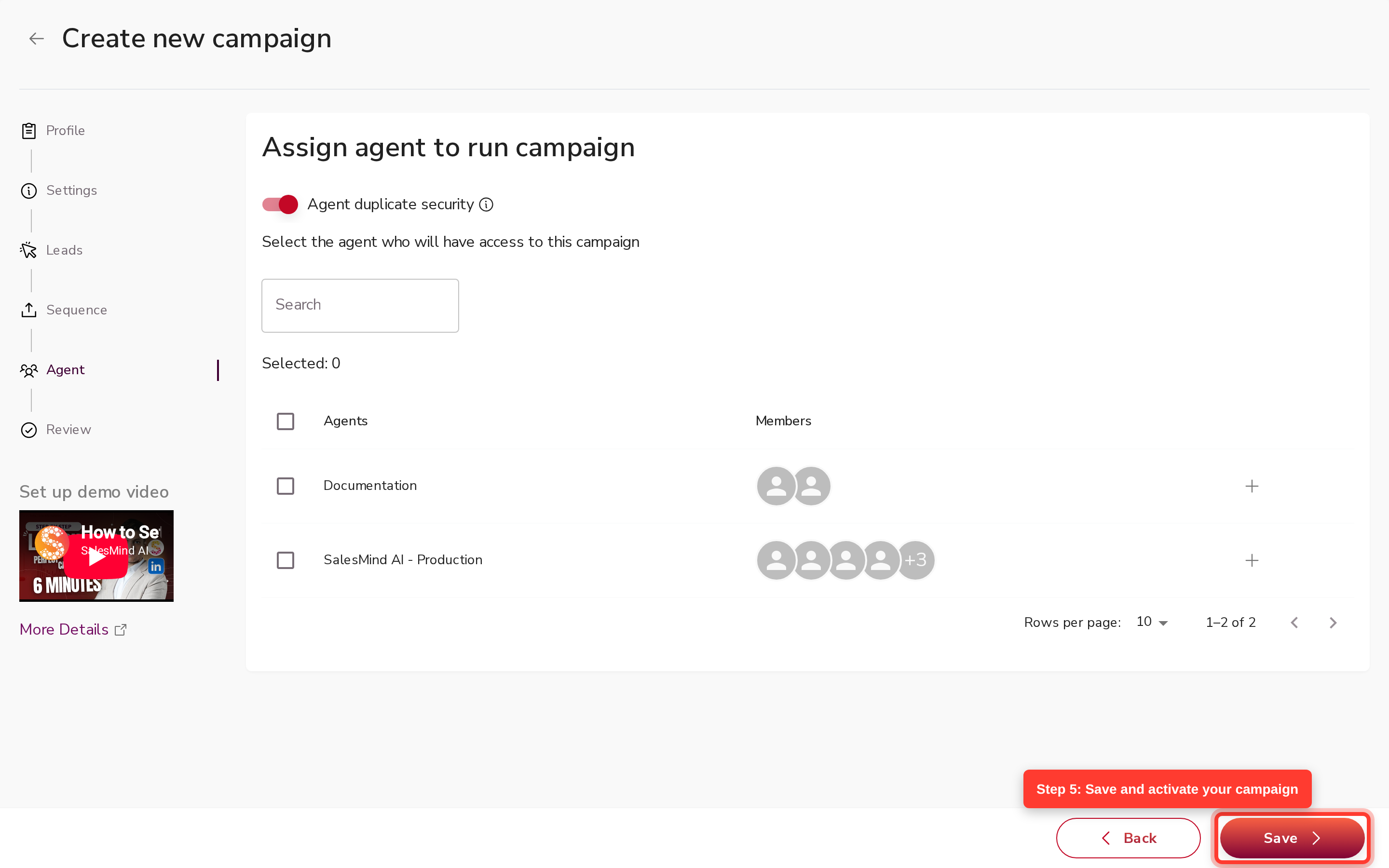
SalesMind AI confirms the campaign is message-only when it activates. Leads who are not in your 1st-degree network are marked "not connected" or "out of network" — the campaign skips the send for those leads and no quota is used.
What happens to leads who are not connected
If a lead in your list is not yet a 1st-degree connection, SalesMind AI does not send them a message. The lead is marked with one of these statuses:
- Not connected — the lead was reachable but you are not connected on LinkedIn.
- Out of network — the lead is outside your LinkedIn messaging reach.
These contacts are stopped automatically. No message is sent and no LinkedIn quota is used. To reach them, run a separate connection-plus-message campaign first.
Limits and things to know
- Message-only campaigns cannot reach non-connections. This is enforced on every send — not a UI warning.
- A connection-plus-message campaign stops (does not message) pre-existing connections. The stop status is "already connected" and is permanent for that campaign run. Add those leads to a message-only campaign instead.
- The message-only type is auto-derived. You cannot manually flag a campaign as message-only — it is set by the backend when the sequence has no Connection Request step.
- Personalisation still applies. If your steps use the AI writer, messages are rewritten per lead. If you need to send copy word-for-word, use the Human writer on each step.
- Placeholders work normally. Use
{firstName},{company}, and{adaptive_url}in your copy. A missing value leaves a blank (Human writer) or is written around (AI writer).
FAQ
If the lead is already connected with me, how do I make sure they get a message instead of a connection request?
Build a sequence with no Connection Request step. SalesMind AI treats any sequence without a connection step as message-only and sends messages directly to your 1st-degree connections.
How do I reach people I am already connected with on LinkedIn without sending them a new connection request?
Create a message-only campaign (a sequence with no Connection Request step) and import a lead list that includes those contacts. They will receive your message without any new invite being sent.
Will a message-only campaign try to send connection requests to leads I am not yet connected with?
No. If a lead is not in your 1st-degree network, SalesMind AI stops the sequence for that lead and marks them "not connected" or "out of network." No message or connection request is sent.
What is the difference between a message-only campaign and a normal connect-then-message campaign?
A connect-then-message campaign sends a connection request first, then follows up with a message once the request is accepted. A message-only campaign skips the connection step entirely and sends messages only to contacts you are already connected with.
Why does my campaign show "already connected" for some leads?
This means those leads were already in your 1st-degree network when you ran a connection-plus-message campaign. The campaign stops at the connection step for those leads — it does not send them a message. Move them to a message-only campaign to reach them.
Can I filter my lead list to only people I am already connected with, to build a message-only campaign?
You can review your lead list before importing and remove any contacts who are not yet in your 1st-degree network. SalesMind AI will also stop non-connections automatically during the campaign, but starting with a filtered list keeps your results clean.
Which campaign type should I use to re-engage contacts from my existing LinkedIn network?
Use a message-only campaign — a sequence with no Connection Request step. It is the only campaign type that sends messages to your existing connections without spending invite quota.