
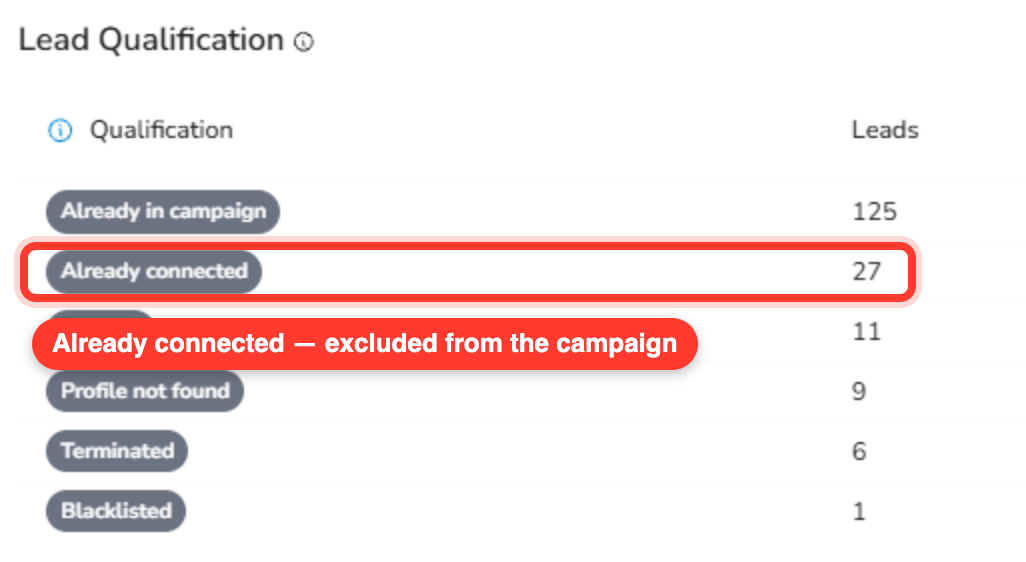
When you run a SalesMind AI campaign, the Lead Qualification window may show an already connected label with a number next to it — for example, already connected: 10. Those leads are people you're already connected with on LinkedIn (your 1st-degree connections). SalesMind AI leaves them out of the campaign and sends no connection request, because you're already connected. Here's how to see exactly who they are.
Why some leads show as "already connected"
Before sending a connection invite, SalesMind AI checks whether the lead is already a 1st-degree connection of your LinkedIn account. If they are, there's nothing to send. The connection step — and every step that would have followed it — is automatically cancelled, and the lead is marked as connected. That's why the Lead Qualification window counts these people under already connected and leaves them out of the campaign.
Export your campaign leads
- Open the campaign and click the Leads tab.
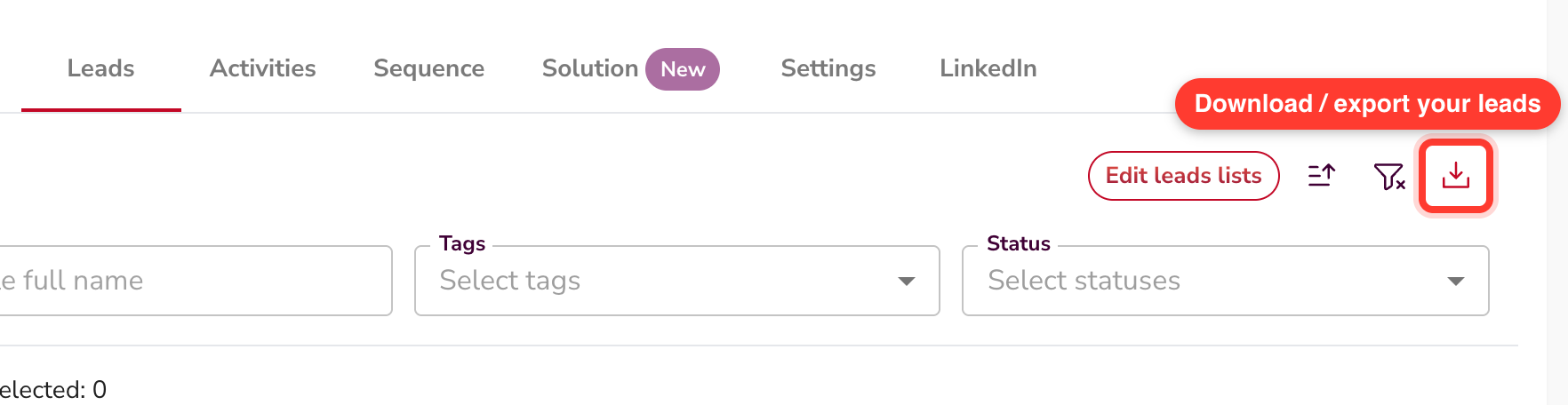
- In the top right of the leads table, click the download icon (it sits next to the filter icon). SalesMind AI builds a CSV of your leads.
- Open the exported CSV in your spreadsheet tool — Google Sheets, Excel, or Numbers.
Spot the already-connected leads
In the exported sheet, two columns tell you everything:
- Connection Status — for an already-connected lead, this reads connected.
- Full Sequence — this column lists every step of the sequence with its status. For an already-connected lead, every step reads cancelled, because no invite was ever sent.
So your already-connected leads are the rows where Connection Status is connected and every step in Full Sequence is cancelled. Sort by the Connection Status column to line them all up at once.
FAQ
Will SalesMind AI message the leads I'm already connected with?
No. When SalesMind AI sees you're already connected, it sends no invite and marks the rest of that lead's sequence as cancelled. Those people are left out of the campaign.
Where do I see how many leads I'm already connected with?
Open the campaign and check the Lead Qualification window. It shows an already connected label with a count next to it — for example, already connected: 10.
How do I get the list of exactly who they are?
Export your campaign leads from the Leads tab (the download icon), then open the CSV. Your already-connected leads are the rows where Connection Status is connected and every step in Full Sequence is cancelled.