
SalesMind AI offers four ways to get help. Pick the one that fits your situation.
Chat Support
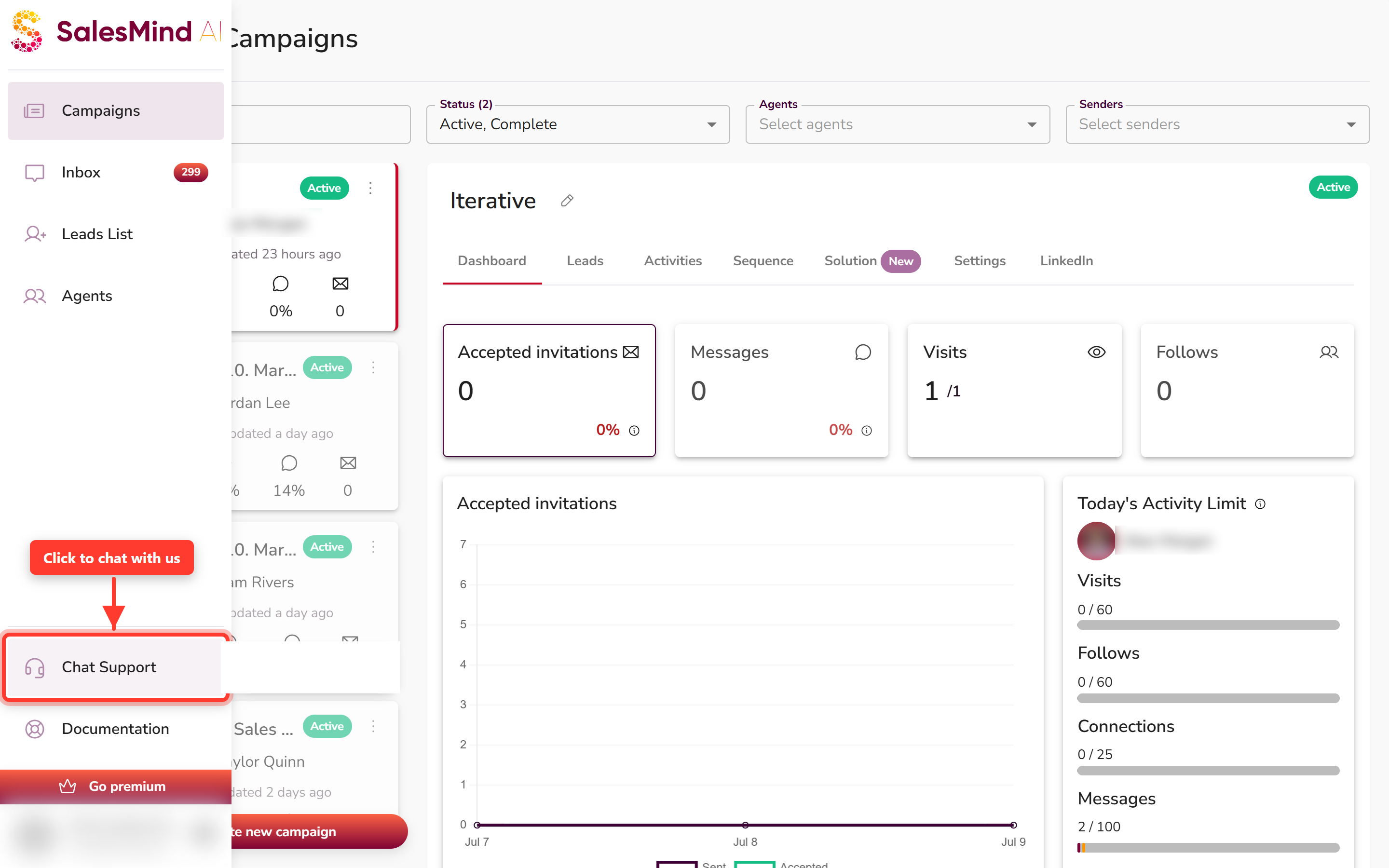
The fastest way to reach us. Click Chat Support at the bottom of the left sidebar. The support window opens.
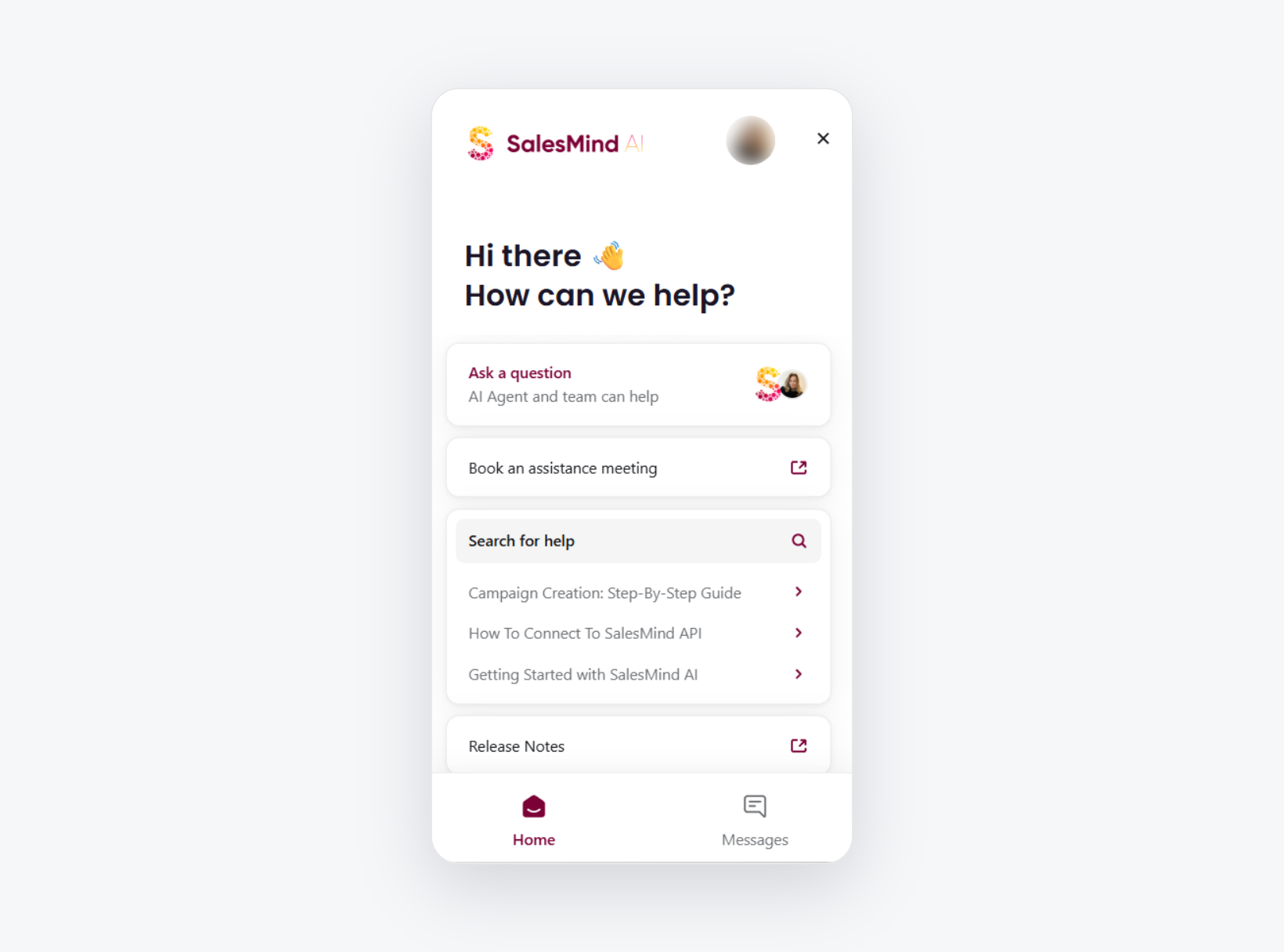
From here you have two choices:
- Ask a question — chat with our AI agent right away. Need a person? Ask for a human agent anytime.
- Book an assistance meeting — set up a one-to-one session with our team (see below).
💡 Tip: Include a short description of what you were doing when the issue occurred. It helps us resolve things faster.
Book an Assistance Meeting
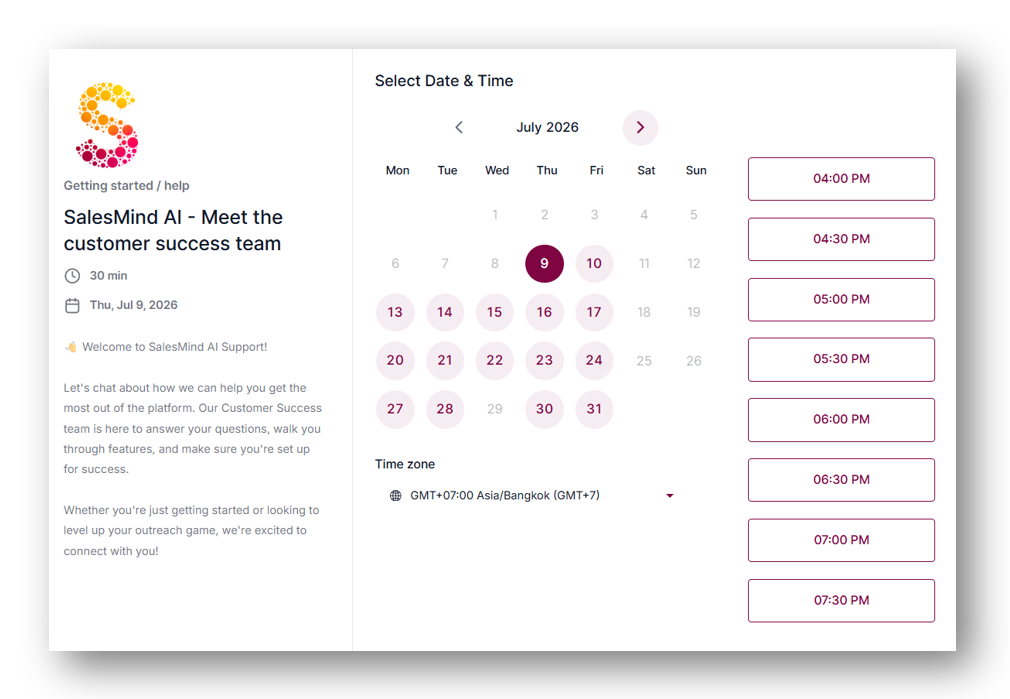
Pick a date and time that works for you. A meeting is the best option when you need hands-on help, want a walkthrough of a feature, or are troubleshooting something complex.
Help Center
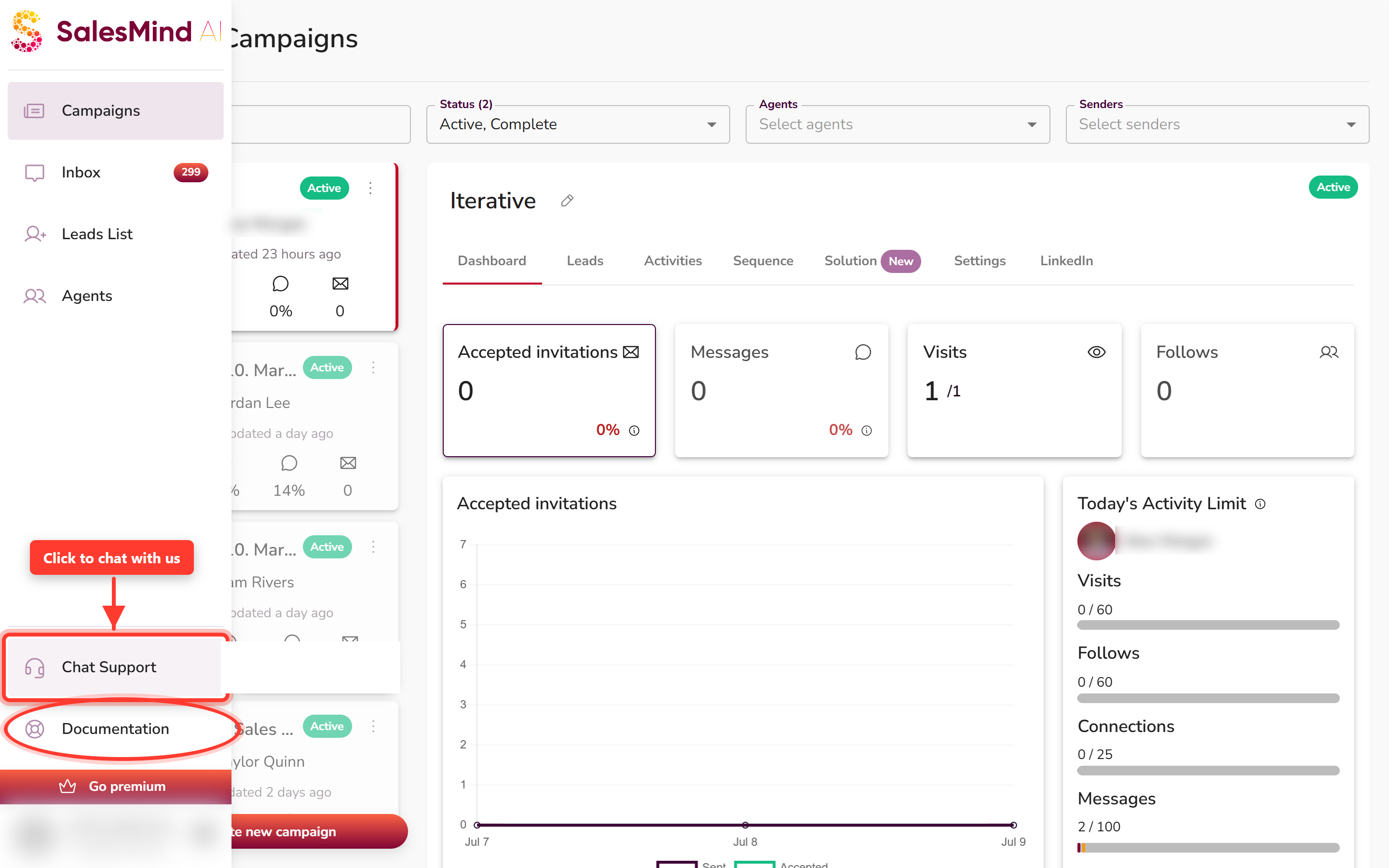
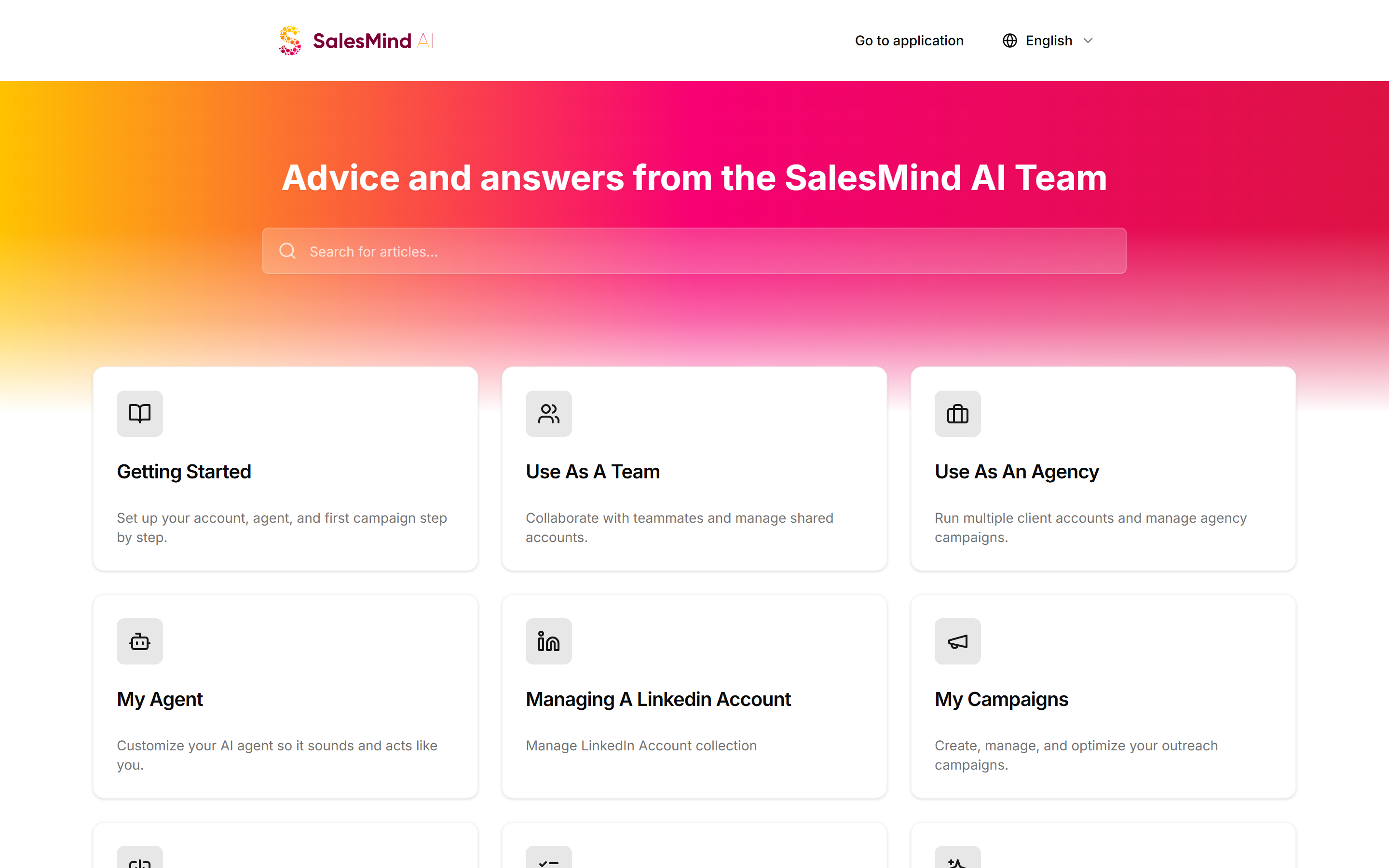
Open the Help Center from the app. Click Documentation at the bottom of the left sidebar, then search for a guide. It has guides, tutorials, and step-by-step docs covering most common questions. Available 24/7, whatever your timezone.
Service Status Page
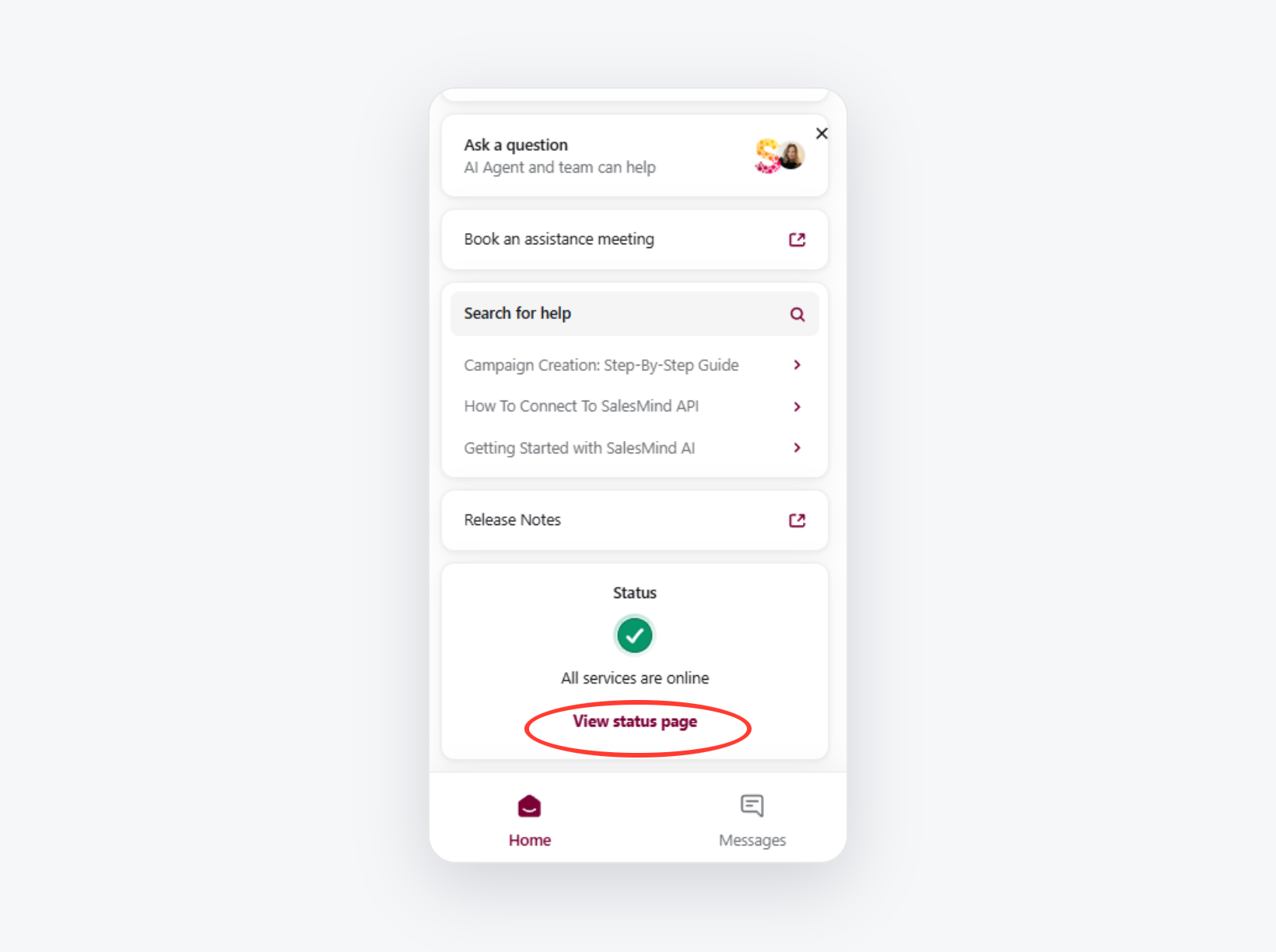
You can also open the status page from the chat window. Scroll down in the support window and click View status page.
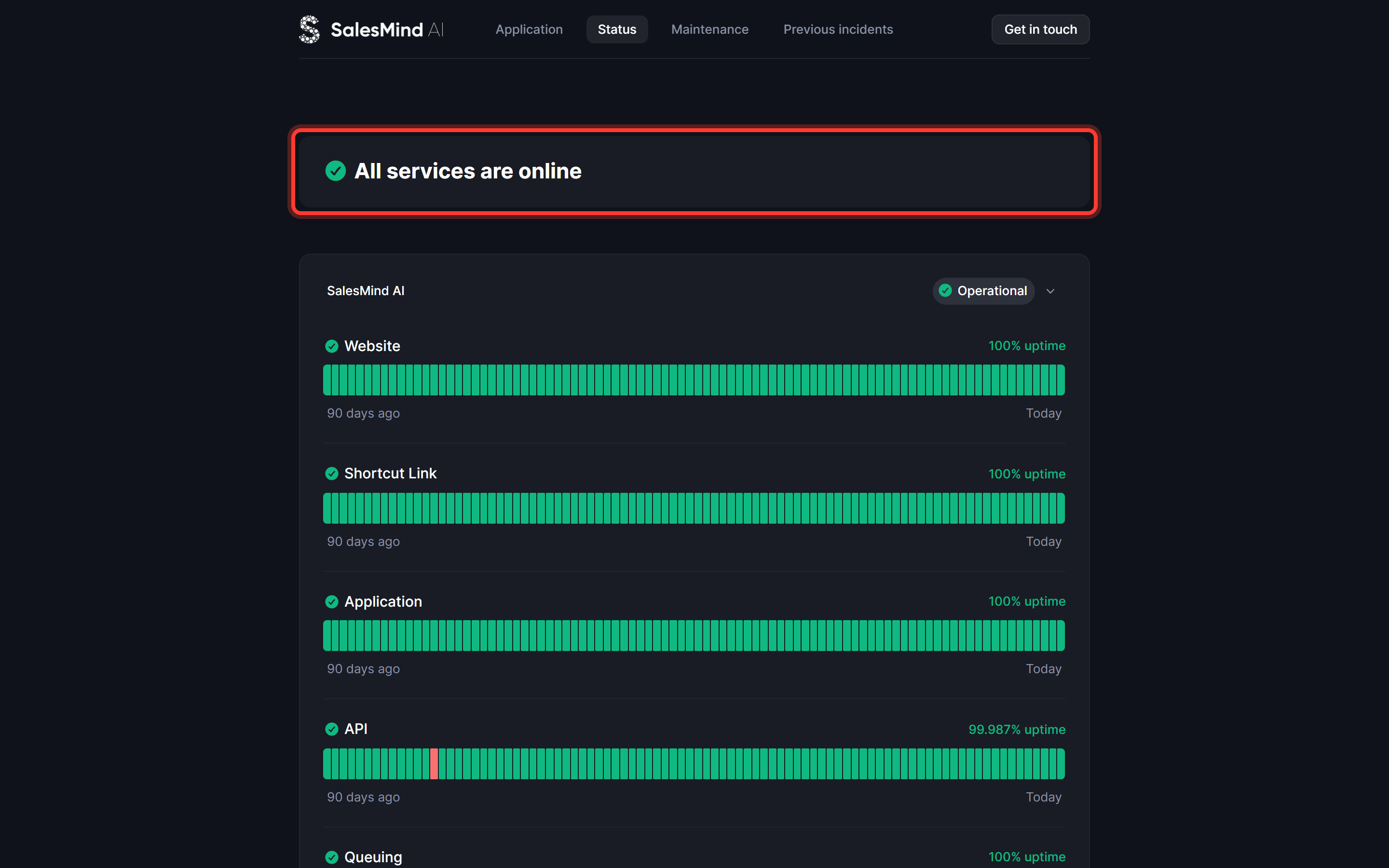
If something feels broken across the board, check the status page before reaching out. It shows whether SalesMind AI is down or having a known service issue. If there's an outage, we're already working on it.
👉 Note: Platform-wide issues affect all users at once. If the status page shows an incident, you don't need to do anything on your end.
Quick Reference
| Situation | Best Option |
|---|---|
| Quick question or minor issue | Chat support |
| Complex setup or troubleshooting | Book an assistance meeting |
| Self-service at any hour | Help Center |
| Something feels broken everywhere | Check the status page |