
Prerequisites
- An active SalesMind AI account
- You're inside an agent and ready to add leads
What Is AI Lead Finder?
AI Lead Finder is built into SalesMind AI. It uses our own data and your persona to build lead lists. You stay inside the app. No LinkedIn search needed.
Step 1: Pick a Persona Template
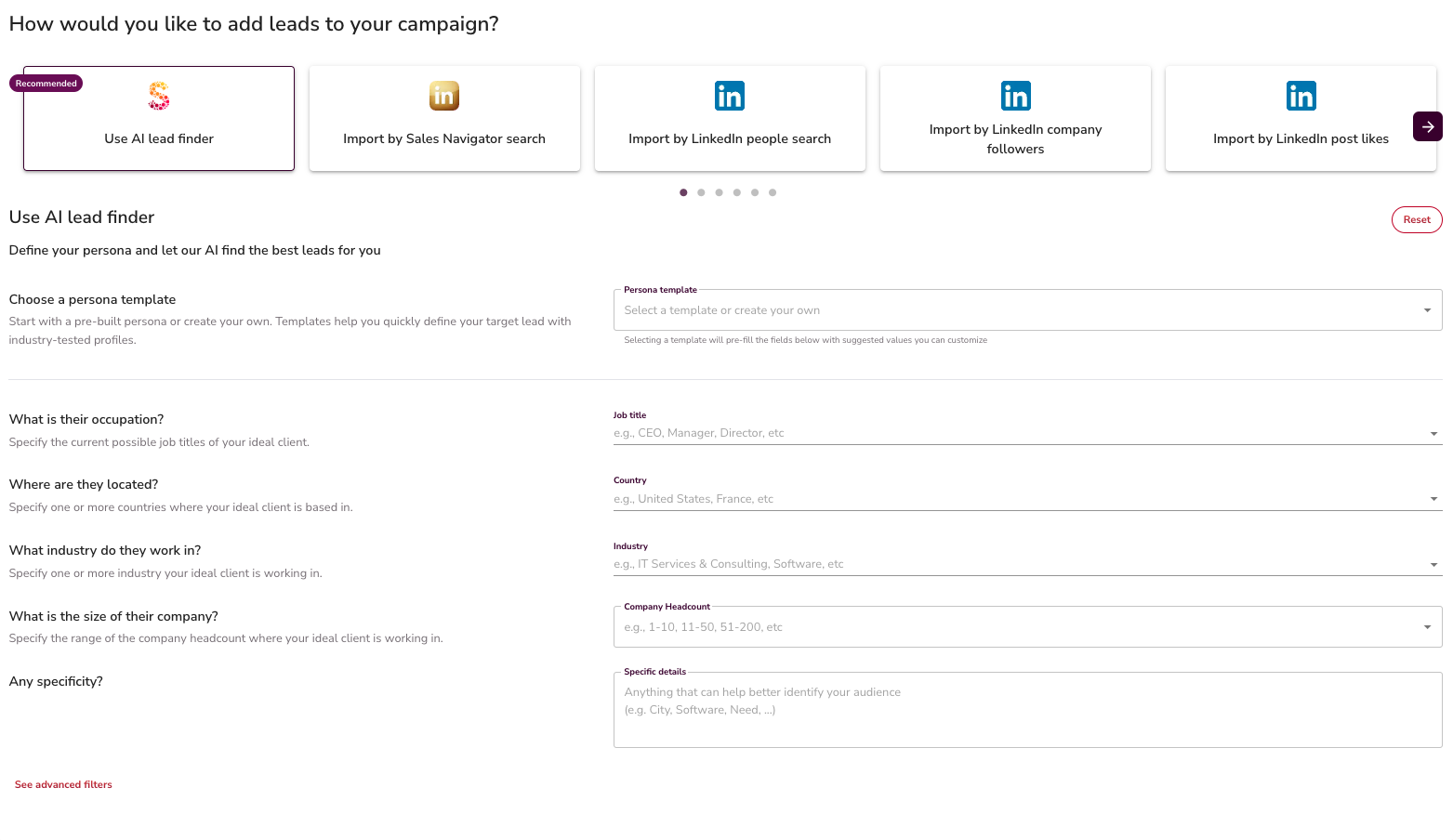
- Open AI Lead Finder inside your agent
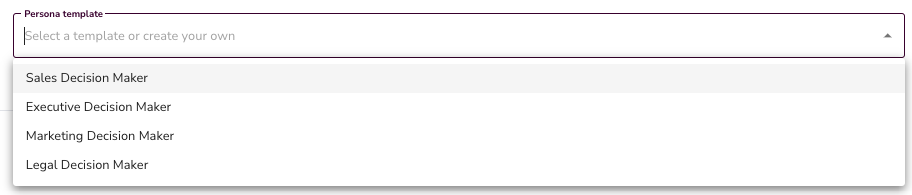
- Pick a persona template. It pre-fills job titles, seniority, and other filters
- Edit the defaults to fit your target. Or reset and start fresh
👉 Note: You can type job titles by hand. For example, add "CEO" and "Co-owner" as two entries. The list will only include those roles.

Step 2: Set Location
- Pick a country to cast a wide net. Or drill down to a city
- SalesMind AI covers more than 5,000 cities
💡 Tip: Small cities give few results. If a city is missing, ask support to add it.

Step 3: Filter by Industry and Company Size
- Pick one or more industries that fit your target
- Set a company size range. This is the number of employees you want.

Where the industry list comes from
The Industry list comes from LinkedIn's official Industry Codes V2. It has about 400 categories. Some are broad, like "Technology, Information and Media." Some are narrow, like "Wireless Services." The list is searchable — just start typing.
💡 Tip: Pick 2 to 5 industries, not 20. Too many gets noisy. Too few misses good leads.
What if your niche isn't in the list?
Some niches are not in the list. UCaaS, CCaaS, MSP, channel resellers, VAR — these don't have their own LinkedIn industry. LinkedIn puts them under bigger groups.
For these, pick the closest big group + add Keywords for the niche term.
| Your target | LinkedIn industry to pick | Add as Keywords |
|---|---|---|
| UCaaS (RingCentral, 8x8, Dialpad, Zoom Phone) | Telecommunications (ID 8) — or Software Development (ID 4) if pure SaaS | UCaaS, "unified communications", "cloud communications" |
| CCaaS (Talkdesk, Five9, NICE, Genesys Cloud) | Software Development (ID 4) or IT Services and IT Consulting (ID 96) | CCaaS, "contact center", "cloud contact center" |
| MSP / channel resellers / VAR | IT Services and IT Consulting (ID 96) | MSP, reseller, "channel partner", "partner program" |
| Cybersecurity vendors | Computer and Network Security (ID 118) | SOC, XDR, SIEM, "managed security" |
| Data / analytics platforms | Data Infrastructure and Analytics (ID 2458) | "data platform", "data warehouse", analytics |
⚠️ Warning: Don't pick Telephone Call Centers (ID 1931) for CCaaS. That label is for firms that run call centers. Not for firms that sell software to them.
Most-used industries for B2B SaaS prospecting
If you sell to tech or SaaS buyers, these 10 industries cover most of them:
- Software Development (ID 4)
- IT Services and IT Consulting (ID 96)
- Technology, Information and Internet (ID 6)
- Data Infrastructure and Analytics (ID 2458)
- Computer and Network Security (ID 118)
- Telecommunications (ID 8)
- Telecommunications Carriers (ID 1644)
- Wireless Services (ID 119)
- Information Services (ID 84)
- Financial Services — for fintech buyers
👉 Note: Industry alone is rarely sharp enough. Pair it with Keywords, Skills, and Technology to hit your niche. For the full persona setup, see Setting Up Your Persona.
Step 4: Add Advanced Filters (Optional)
For sharper targeting, you can also filter by:
- Technologies the company uses
- Skills your leads likely have
👉 Note: These fields are optional. Leave them empty and the AI will widen the search.

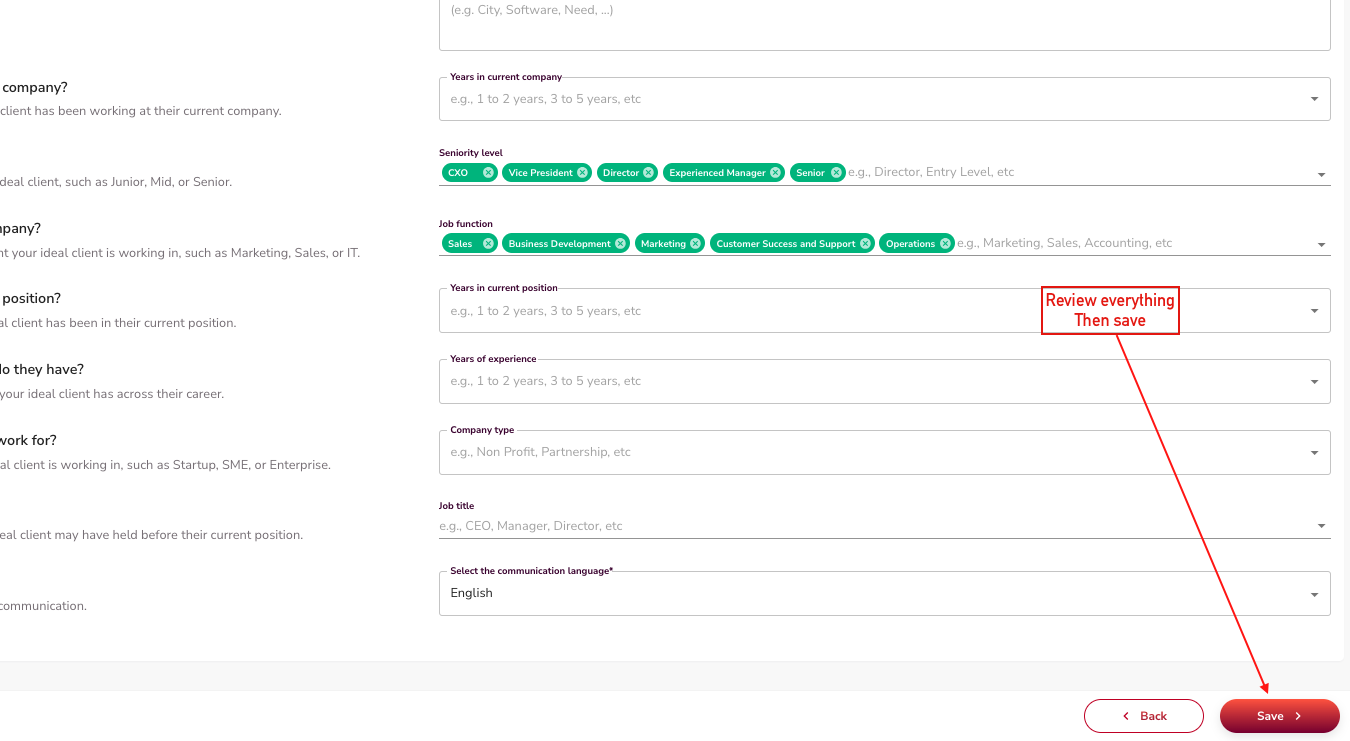
Step 5: Review and Save Your List
- Set your filters. AI Lead Finder builds your list on its own.
- Check the results. Make sure they match your persona.
- Save the list. Use it in a campaign.
💡 Tip: Empty filter fields don't block results. They just widen the search. Use them on purpose to control list size.
What's Next
- See other import ways in the Import My Leads section
- Add your new list to a campaign. Set up your sequence.